Me-Page Team
最終更新 27 Mar 2026
記事プラン
- Build a Website from Scratch — Visually
- Use Ready-Made Templates and Blocks
- Create Multi-Page Websites and Subpages
- Customize Design Without Limits
- Add Buttons, Links, and Navigation
- Edit Content Anytime
- Optimize for Mobile Automatically
- Publish Your Website in One Click
- Built-In Features That Save Time
- Quick Overview of ME-Page Features
- Conclusion
- Frequently Asked Questions about ME-Page Feature Breakdown
Not long ago, building a website meant hiring developers, learning code, or spending hours dealing with complicated tools. Today, that’s no longer the case.
With ME-Page, you can create, edit, and publish a fully functional website without writing a single line of code. Whether you’re a small business owner, freelancer, or creator, ME-Page gives you powerful no-code tools that simplify the entire process.
Let’s break down exactly what you can do.

Build a Website from Scratch — Visually
One of the biggest advantages of ME-Page is its visual editor.
Instead of coding layouts, you simply:
- Drag and drop elements
- Add sections
- Rearrange content
- Edit everything in real time
You see your website exactly as visitors will see it. No guessing, no preview mode confusion.
This makes building a site feel more like designing a presentation than writing code.
Use Ready-Made Templates and Blocks
Don’t want to start from scratch? No problem.
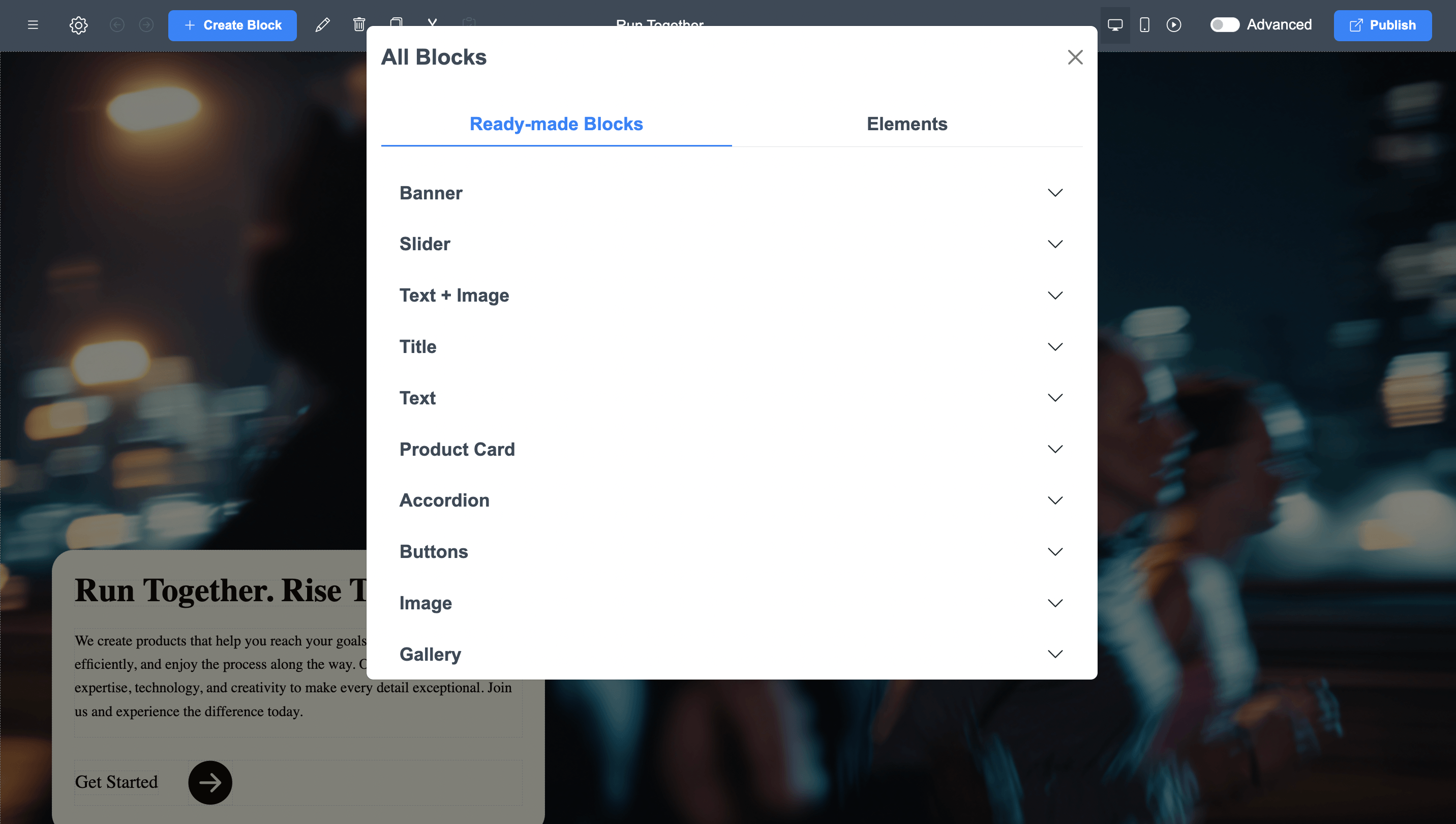
ME-Page offers pre-designed templates and blocks that you can customize instantly. These include:
- Headers and navigation menus
- Hero sections
- Service blocks
- Image galleries
- Contact sections
- Call-to-action banners
You just replace text and images with your own content.
This saves hours of work and ensures your site looks professional from the start.
Create Multi-Page Websites and Subpages
Many beginners think no-code tools are limited to simple one-page sites. That’s not true anymore.
With ME-Page, you can:
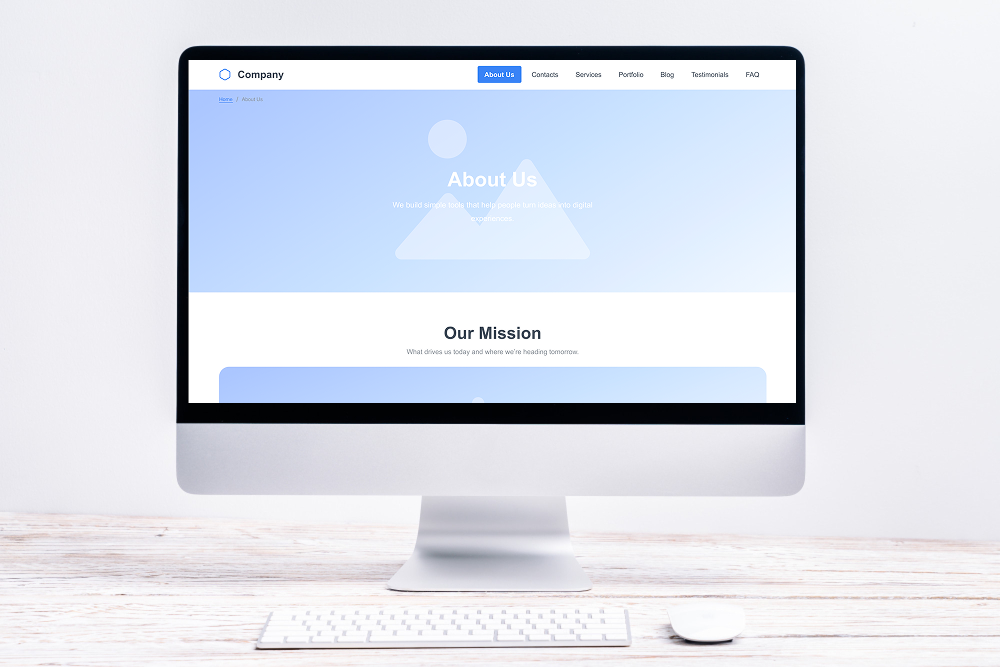
- Add multiple pages
- Create subpages
- Organize content into a clear structure
- Build navigation menus
This allows you to create anything from a simple landing page to a full multi-page website.
Perfect for businesses that want to grow over time.
Customize Design Without Limits
Even though it’s no-code, ME-Page gives you full control over design.
You can easily:
- Change colors and backgrounds
- Edit fonts and typography
- Adjust spacing and layout
- Add animations and visuals
This means your website doesn’t look generic — it reflects your brand.
And the best part? You don’t need design experience to make it look good.
Add Buttons, Links, and Navigation
Navigation is key to user experience.
ME-Page lets you:
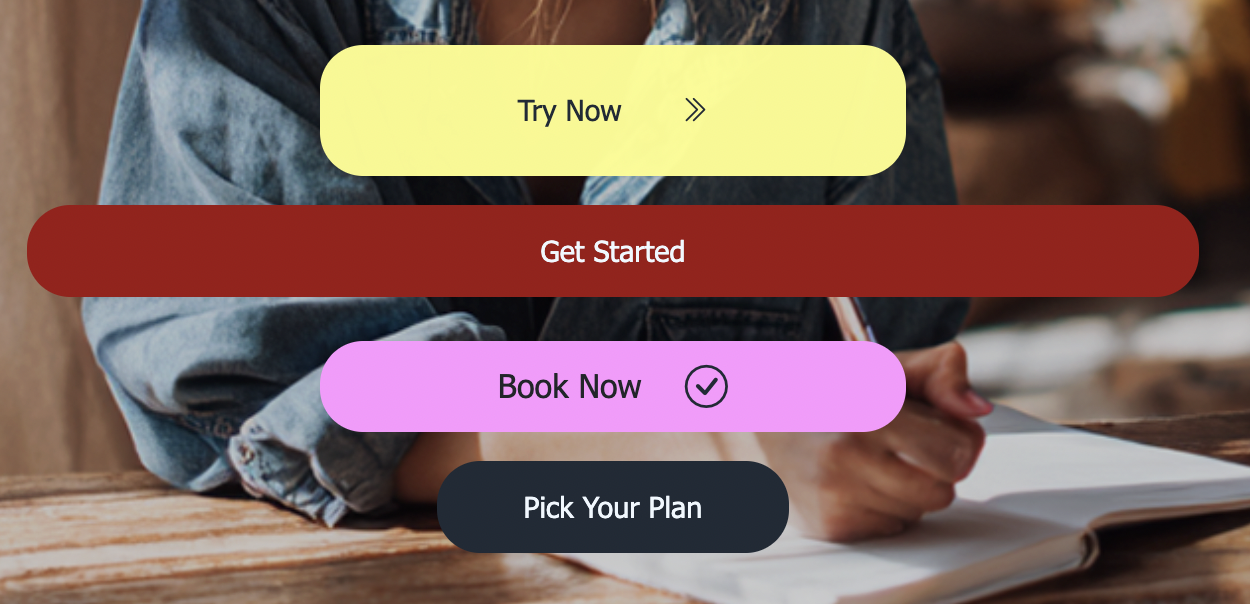
- Add buttons anywhere
- Link to pages or external URLs
- Create custom header menus
- Build mobile-friendly burger menus
This helps visitors move smoothly through your site and find what they need quickly.
Better navigation = better engagement.
Edit Content Anytime
Your website shouldn’t be static.
With ME-Page, you can update:
- Text
- Images
- Links
- Sections
Anytime you want.
No waiting for developers. No technical steps. Just click, edit, and publish.
This flexibility is one of the biggest advantages of using no-code tools.
Optimize for Mobile Automatically
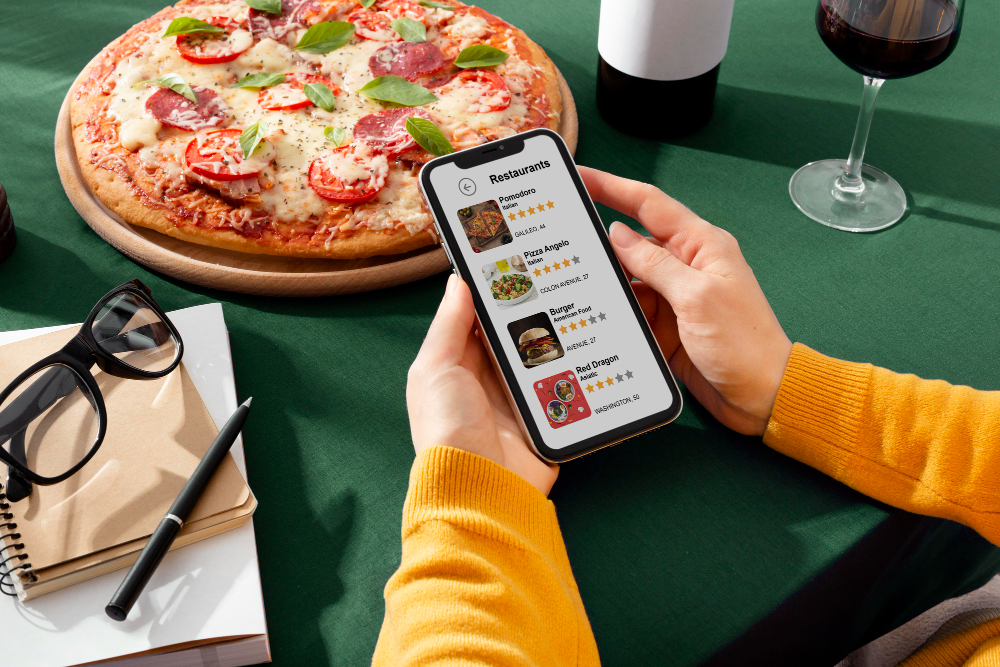
Most visitors will view your website on their phones.
ME-Page ensures your site:
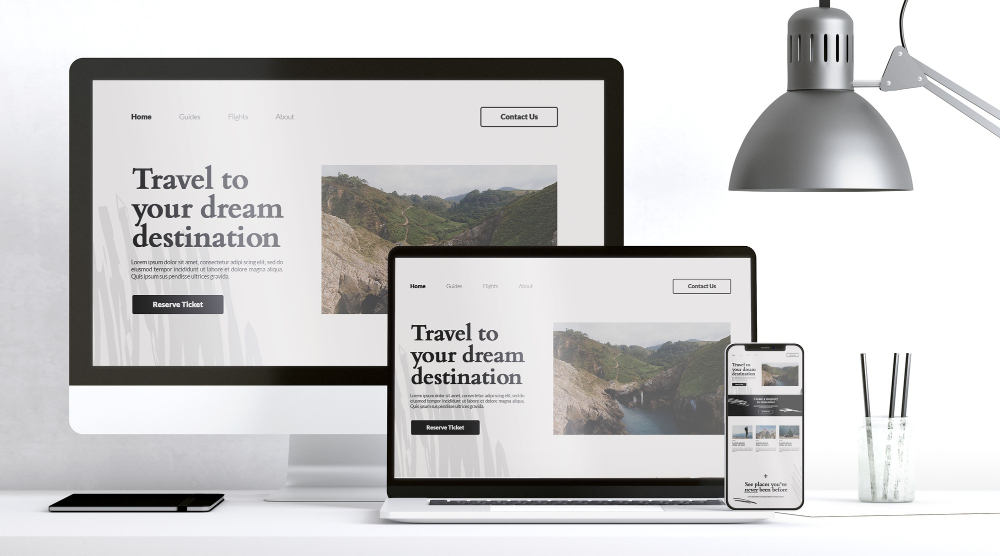
- Looks good on all devices
- Adapts to screen sizes
- Keeps navigation simple
- Maintains readability
You don’t need to design separate mobile versions. Everything is responsive by default.
Publish Your Website in One Click
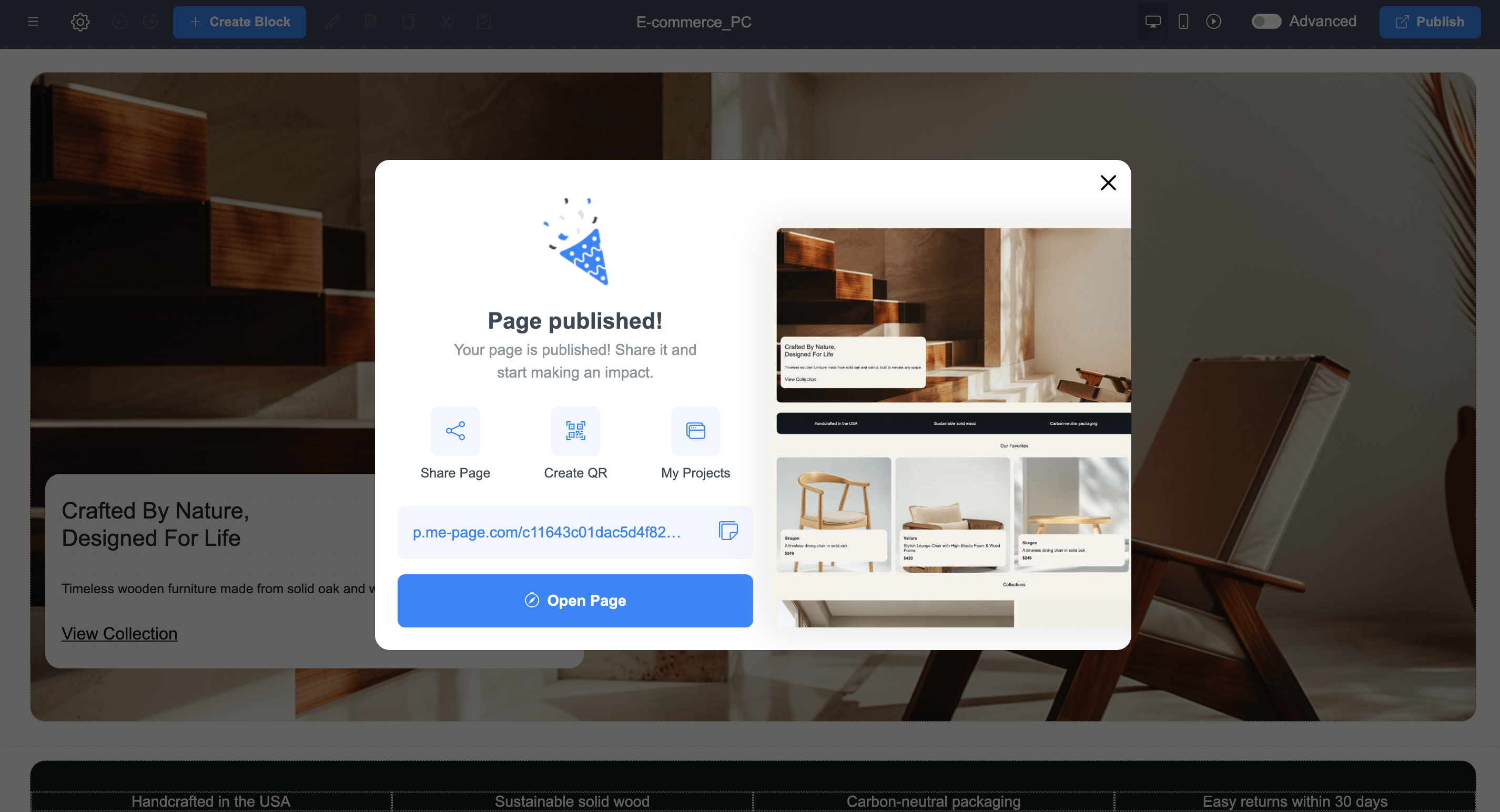
Once your site is ready, launching it is incredibly simple. Just click “Publish” — and your website goes live instantly. No servers. No deployments. No technical setup. This makes it perfect for quick launches, campaigns, or testing new ideas.
Built-In Features That Save Time
Instead of installing plugins or external tools, ME-Page includes everything you need:
- Hosting
- Page structure tools
- Navigation builder
- Design customization
- Content editing
- Mobile optimization
Everything works together smoothly, so you can focus on your content instead of technical issues.
Quick Overview of ME-Page Features
Conclusion
Modern websites don’t require coding anymore — they require the right tools. With powerful ME-Page features, you can design, build, and manage a professional website entirely on your own. From templates and drag-and-drop editing to multi-page structures and instant publishing, these no-code tools remove all technical barriers.
Whether you’re launching a business, promoting services, or building a personal brand, ME-Page gives you everything you need in one place. It’s fast, flexible, and beginner-friendly — proving that great websites don’t have to be complicated.
Frequently Asked Questions about ME-Page Feature Breakdown
Yes. ME-Page is designed specifically for non-technical users, allowing you to create fully functional and professional websites using simple drag-and-drop tools.
Absolutely. You can change colors, fonts, layouts, images, and content to match your brand and create a unique design.
Yes. All websites created with ME-Page are automatically responsive and optimized for mobile devices.
You can publish your website instantly with one click as soon as your content is ready.
この記事は役に立ちましたか?
星をクリックして評価してください!
平均評価: 0/5
投票数: 0
友達と共有:



最新の記事
あなたのウェブサイトにME-Page Constructorを使用するために必要なすべてのこと。

ME-Pageの機能解説:コーディング不要でできること
少し前までは、ウェブサイトを構築するには、開発者を雇ったり、コードを学んだり、複雑なツールを何時間も使いこなす必要がありました。しかし、今では状況は一変しました。 ME-Pageを使えば、コードを一行も書かずに、完...
訪問者を顧客に変えるレストランウェブサイト
レストランのウェブサイトは、見た目が良いだけでなく、お客様を実際に来店させるためのものです。 考えてみてください。食事をする場所を探している人は、たいていお腹が空いていて、すぐにでも決めたいと思っています。ウェブサ...

シングルページウェブサイト vs マルチページウェブサイト:ビジネスにとってどちらが有利?
会社のウェブサイトを構築する際、最初に直面する決定の一つは、適切な構造を選ぶことです。すべてが1ページのスクロールページに収まるシングルページウェブサイトを作成すべきでしょうか?それとも、複数ページで構成されるビジネスウ...
ランキング上位につながるコンテンツ:SEO対策のためのページ構成方法
ウェブサイトのコンテンツ作成は、ただ大量のテキストを書くだけではありません。スマートに書くことも重要です。ページが適切に構成されていないと、訪問者と検索エンジンの両方にとって、優れた情報でさえ埋もれてしまう可能性がありま...
ページとサブページで明確なウェブサイト構造を構築
乱雑なウェブサイトは、看板のないお店のようなものです。訪問者は店に入り、店内を見回し、混乱し、そして去っていきます。それは商品が悪いからではなく、何も見つからないからです。 だからこそ、凝ったデザインよりも、スマートな...
ローカルSEOの基本:近くの顧客に見つけてもらう
中小企業を経営している方にとって、あるシンプルな真実があります。人々はまず地元で検索します。 「世界一の配管工」とは検索しません。「近くの配管工」と入力します。 「コーヒーショップのアイデア」とは検索しません。「今開...
ME-Pageの機能解説:コーディング不要でできること
少し前までは、ウェブサイトを構築するには、開発者を雇ったり、コードを学んだり、複雑なツールを何時間も使いこなす必要がありました。しかし、今では状況は一変しました。 ME-Pageを使えば、コードを一行も書かずに、完...
訪問者を顧客に変えるレストランウェブサイト
レストランのウェブサイトは、見た目が良いだけでなく、お客様を実際に来店させるためのものです。 考えてみてください。食事をする場所を探している人は、たいていお腹が空いていて、すぐにでも決めたいと思っています。ウェブサ...
シングルページウェブサイト vs マルチページウェブサイト:ビジネスにとってどちらが有利?
会社のウェブサイトを構築する際、最初に直面する決定の一つは、適切な構造を選ぶことです。すべてが1ページのスクロールページに収まるシングルページウェブサイトを作成すべきでしょうか?それとも、複数ページで構成されるビジネスウ...
ランキング上位につながるコンテンツ:SEO対策のためのページ構成方法
ウェブサイトのコンテンツ作成は、ただ大量のテキストを書くだけではありません。スマートに書くことも重要です。ページが適切に構成されていないと、訪問者と検索エンジンの両方にとって、優れた情報でさえ埋もれてしまう可能性がありま...
ページとサブページで明確なウェブサイト構造を構築
乱雑なウェブサイトは、看板のないお店のようなものです。訪問者は店に入り、店内を見回し、混乱し、そして去っていきます。それは商品が悪いからではなく、何も見つからないからです。 だからこそ、凝ったデザインよりも、スマートな...
ローカルSEOの基本:近くの顧客に見つけてもらう
中小企業を経営している方にとって、あるシンプルな真実があります。人々はまず地元で検索します。 「世界一の配管工」とは検索しません。「近くの配管工」と入力します。 「コーヒーショップのアイデア」とは検索しません。「今開...