Blog Test Author 1
Last modified 27 Oct 2025
Blog Test Author 1
Last modified 12 Jan 2026
In today’s world, you don’t have to sit at a desk to manage your website. Whether you’re commuting, traveling, or working between meetings, having the power to create and edit your website on your phone gives you complete freedom.
That’s exactly what ME-Page offers — a smooth, mobile-friendly platform that lets you build, edit, and update your site from your smartphone anytime, anywhere.
If you’ve ever thought building a website required a computer, it’s time to change that. Let’s explore how the ME-Page mobile editor makes website creation effortless on the go.
Why You Need Mobile Website Editing in Today’s Fast World

Stay Productive Wherever You Are
Imagine being able to tweak your website while waiting in line or upload a new image while on vacation. That’s the power of a mobile website builder.
With ME-Page, your entire website is at your fingertips. You can log in from your phone, make edits in seconds, and publish instantly — no laptop required. It’s like carrying your office in your pocket.
Perfect for Freelancers, Businesses, and Creators
Whether you’re a freelancer, influencer, small business owner, or non-profit, you need to stay flexible. The ability to edit your website on mobile ensures you can update new projects, add promotions, or fix details instantly.
It’s perfect for:
- Creators sharing fresh content
- Small businesses updating contact info
- Event organizers posting last-minute details
- Photographers or designers uploading new work
With ME-Page, you never have to wait to get back to your desk to make your website better.
What Makes ME-Page the Best Mobile Website Builder
Build Websites on Your Phone in Minutes
The ME-Page mobile editor is designed for simplicity. You don’t need to install complex apps or learn technical skills. Just open your ME-Page account in your phone browser, and you’re ready to go.
You can:
- Select a professional template
- Add your information, photos, and links
- Rearrange sections with an intuitive touch interface
It’s everything you need to create a website from your smartphone — right in your hand.
Edit and Update Content Instantly
Need to fix a typo? Add a new service? Post an announcement?
With ME-Page, you can edit your website from mobile instantly. The editor lets you change text, images, buttons, and layouts with just a few taps.
That means you can respond to updates fast — whether you’re promoting a sale, changing business hours, or posting your latest blog entry.

Enjoy a Fully Responsive Website Design
When you use ME-Page, your site automatically adjusts to look perfect on every screen. Thanks to its responsive website design, your pages always display beautifully on phones, tablets, and desktops.
You don’t need to manually format anything — ME-Page handles it all. This ensures your visitors get a great experience no matter where they’re viewing your site.
Step-by-Step: How to Create and Edit Your Website from Your Smartphone
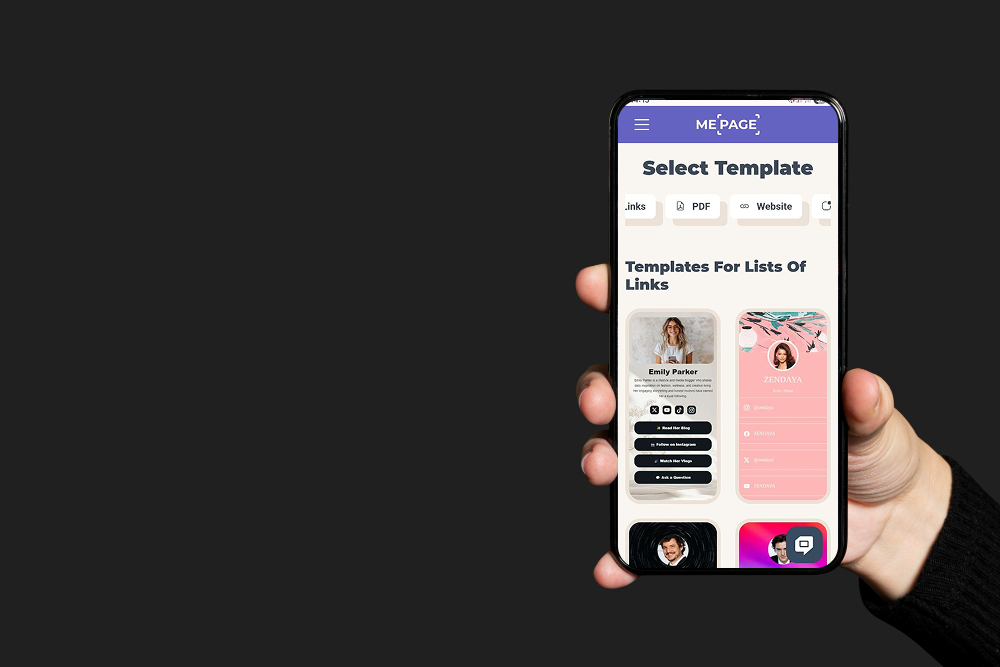
Step 1: Open ME-Page on Your Mobile Device
Start by visiting ME-Page on your smartphone. You don’t need to download anything — just log in through your mobile browser and access your editor right away.
Step 2: Choose a Template or Start from Scratch
Browse through ME-Page’s ready-made templates. You’ll find designs for portfolios, businesses, blogs, and more.
Pick one that matches your style, or start fresh with a blank layout if you prefer total control.
Step 3: Add Text, Images, and Links Easily
Tap to edit text, upload photos, and add buttons or links. Want to include your social media, online store, or booking form? Just paste the link — it works instantly.
This flexibility makes ME-Page a true mobile-friendly website builder for everyone.
Step 4: Preview and Publish Instantly
Once your page looks perfect, hit Preview to see how it appears on different devices. Then, tap Publish, and your updates go live immediately.
You can repeat this anytime — ME-Page makes website creation on the go as simple as sending a message.


Benefits of Using ME-Page’s Mobile Editor
Save Time with On-the-Go Editing
No need to wait until you’re back at your computer. Whether you’re traveling or managing a busy day, ME-Page lets you handle quick updates in real time.
Keep Your Website Updated Anytime
Outdated content can hurt your online presence. With ME-Page, you can update your info, post new content, or share events at any moment — directly from your phone.
Boost Engagement with Real-Time Adjustments
Want to respond to a trend or client feedback? Just open your ME-Page editor and make changes instantly. This agility helps you stay relevant and responsive to your audience.
Conclusion
Building and managing a website has never been easier — or more mobile. With ME-Page, you can create and edit your website anytime using your smartphone or tablet. Whether you’re updating your portfolio, adding travel photos, or announcing your next sale, everything you need is right at your fingertips.
The ME-Page mobile editor gives you complete control, letting you design, edit, and publish from anywhere — without needing extra software or technical experience. Plus, every page you build is automatically optimized with responsive website design, ensuring it looks professional on any device.
So why wait? Start building your mobile-friendly website today with ME-Page. Stay creative, stay flexible, and keep your online presence running smoothly — no matter where life takes you.
Was This Article Helpful?
Click on a star to rate it!
Average Rating: 4.5/5
Voutes: 2
Share with Friends:


Previous
Building a Travel Website with ME-Page Templates
Next
How to Duplicate and Reuse Pages in ME-Page
Recent Articles
Everything You Need to Know About Using ME-Page Constructor for Your Website.

Test Article me-page
Not long ago, building a website meant hiring developers, learning code, or spending hours dealing with compli...

ME-Page Feature Breakdown: What You Can Do Without Coding
Not long ago, building a website meant hiring developers, learning code, or spending hours dealing with compli...
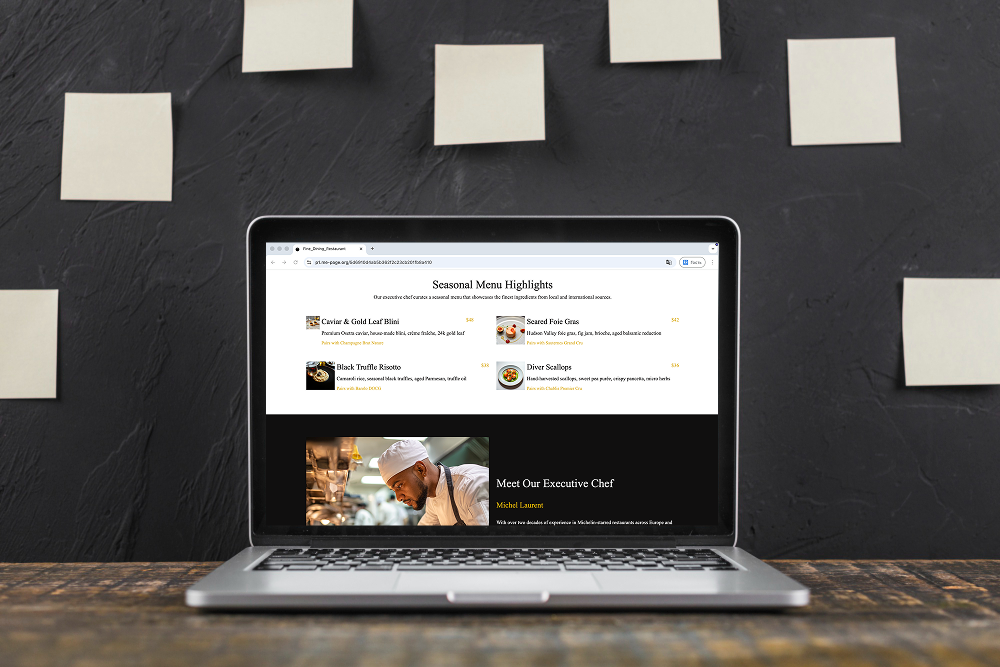
Restaurant Websites That Convert Visitors into Guests
Restaurant Websites That Convert Visitors into Guests A restaurant website isn’t just about looking good — it...

One-Page vs Multi-Page Websites: What’s Better for Business?
When building a website for your company, one of the first decisions you’ll face is choosing the right structu...
Content That Ranks: How to Structure Pages for SEO
Creating content for your website isn’t just about writing a lot of text. It’s about writing smart. If your pa...

Creating a Clear Website Structure with Pages and Subpages
A messy website is like a store with no signs. Visitors walk in… look around… get confused… and leave. Not bec...
Test Article me-page
Not long ago, building a website meant hiring developers, learning code, or spending hours dealing with compli...
ME-Page Feature Breakdown: What You Can Do Without Coding
Not long ago, building a website meant hiring developers, learning code, or spending hours dealing with compli...
Restaurant Websites That Convert Visitors into Guests
Restaurant Websites That Convert Visitors into Guests A restaurant website isn’t just about looking good — it...
One-Page vs Multi-Page Websites: What’s Better for Business?
When building a website for your company, one of the first decisions you’ll face is choosing the right structu...
Content That Ranks: How to Structure Pages for SEO
Creating content for your website isn’t just about writing a lot of text. It’s about writing smart. If your pa...
Creating a Clear Website Structure with Pages and Subpages
A messy website is like a store with no signs. Visitors walk in… look around… get confused… and leave. Not bec...